Everything that brings remembrance closer.
Explore what Thikr actually does and how reading, progress, reminders and sharing fit into your day.
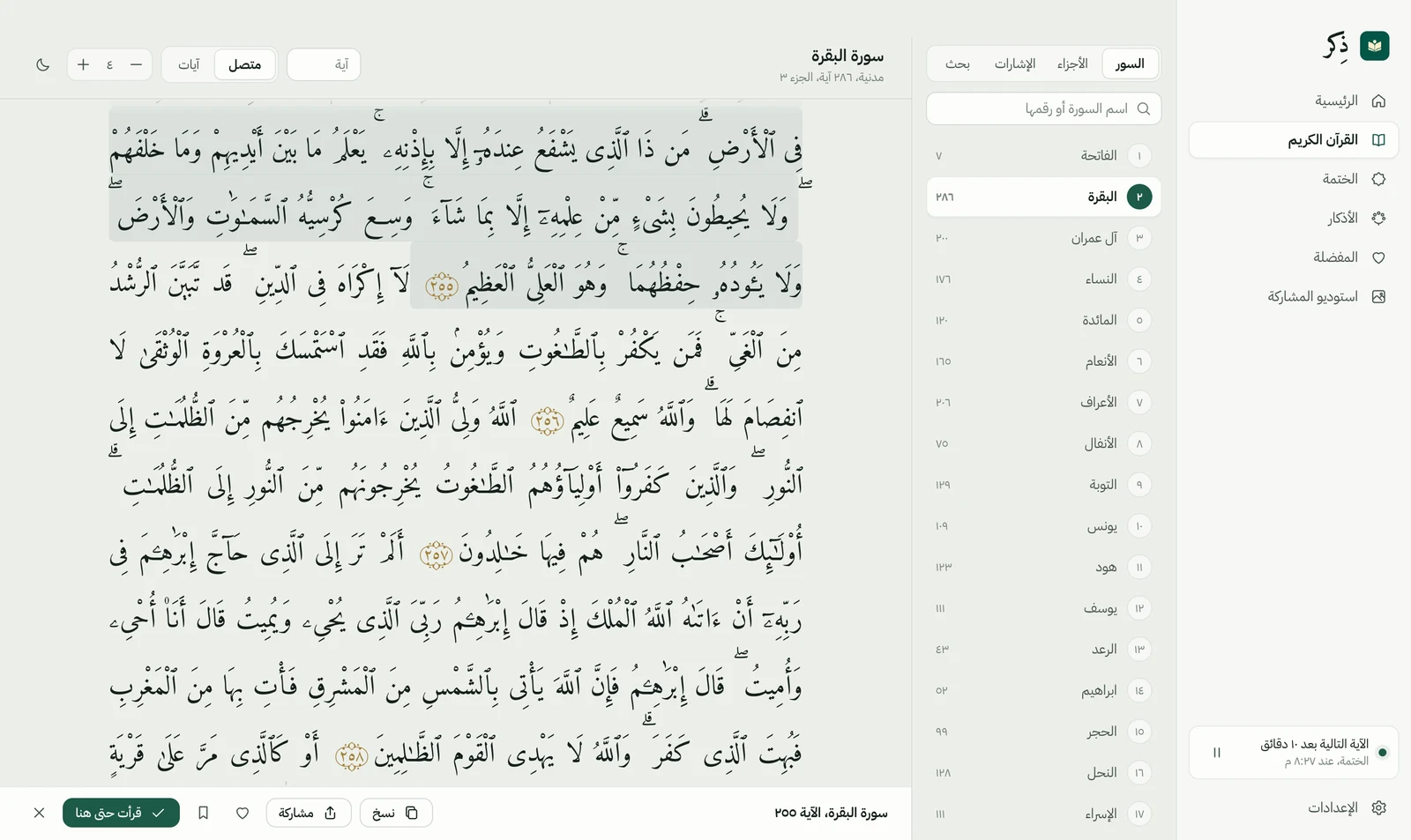
01The Holy Quran
Room to read. Space to reflect.
Open the Quran on your desktop and find the surah or verse you need. Choose page or continuous reading and adjust the text size for comfortable reading.
- Search surahs and verses, and save reading bookmarks.
- Light, dark and system appearance options.
- The Quran text is bundled for offline reading.
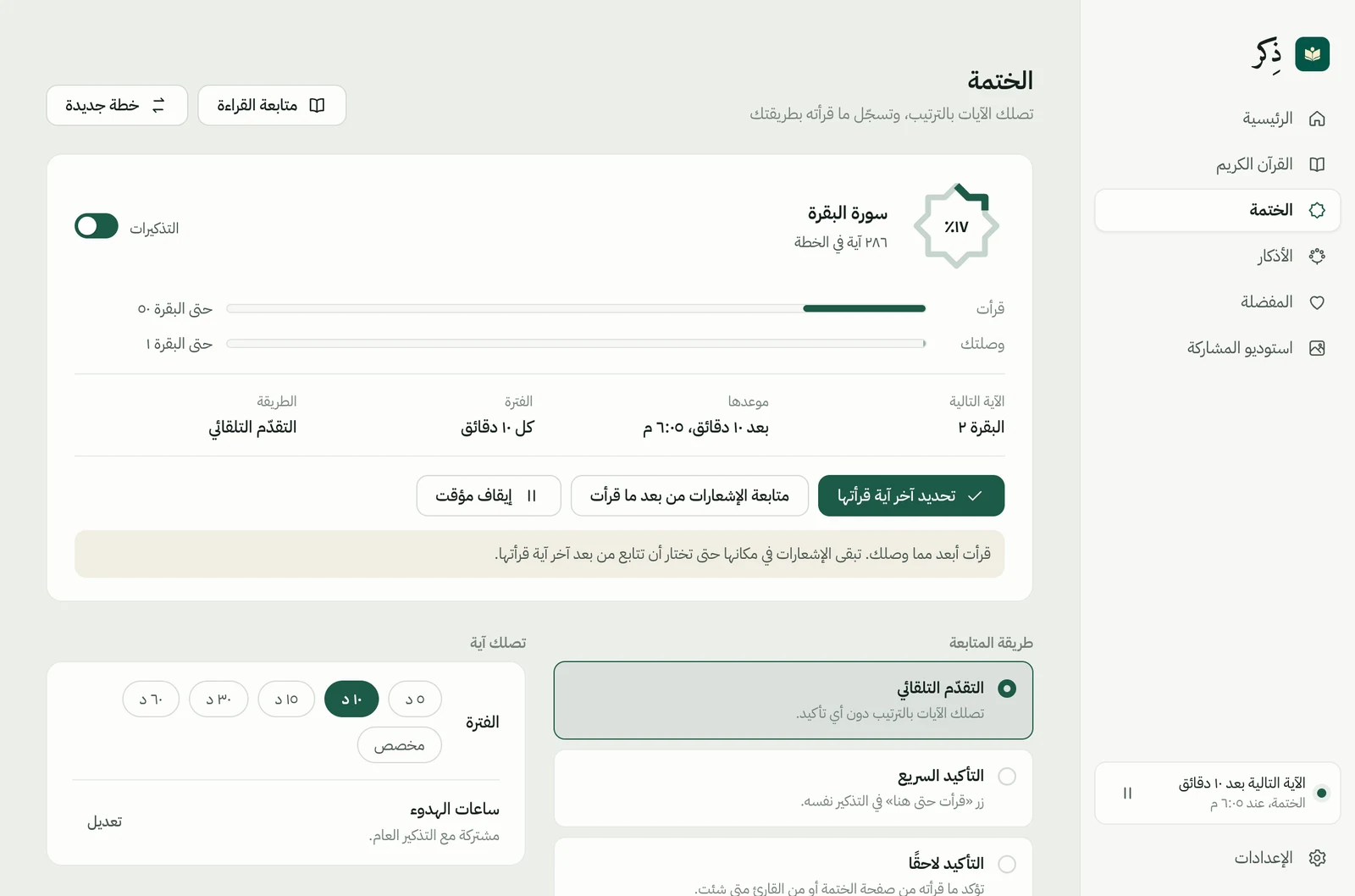
02Khatmah tracking
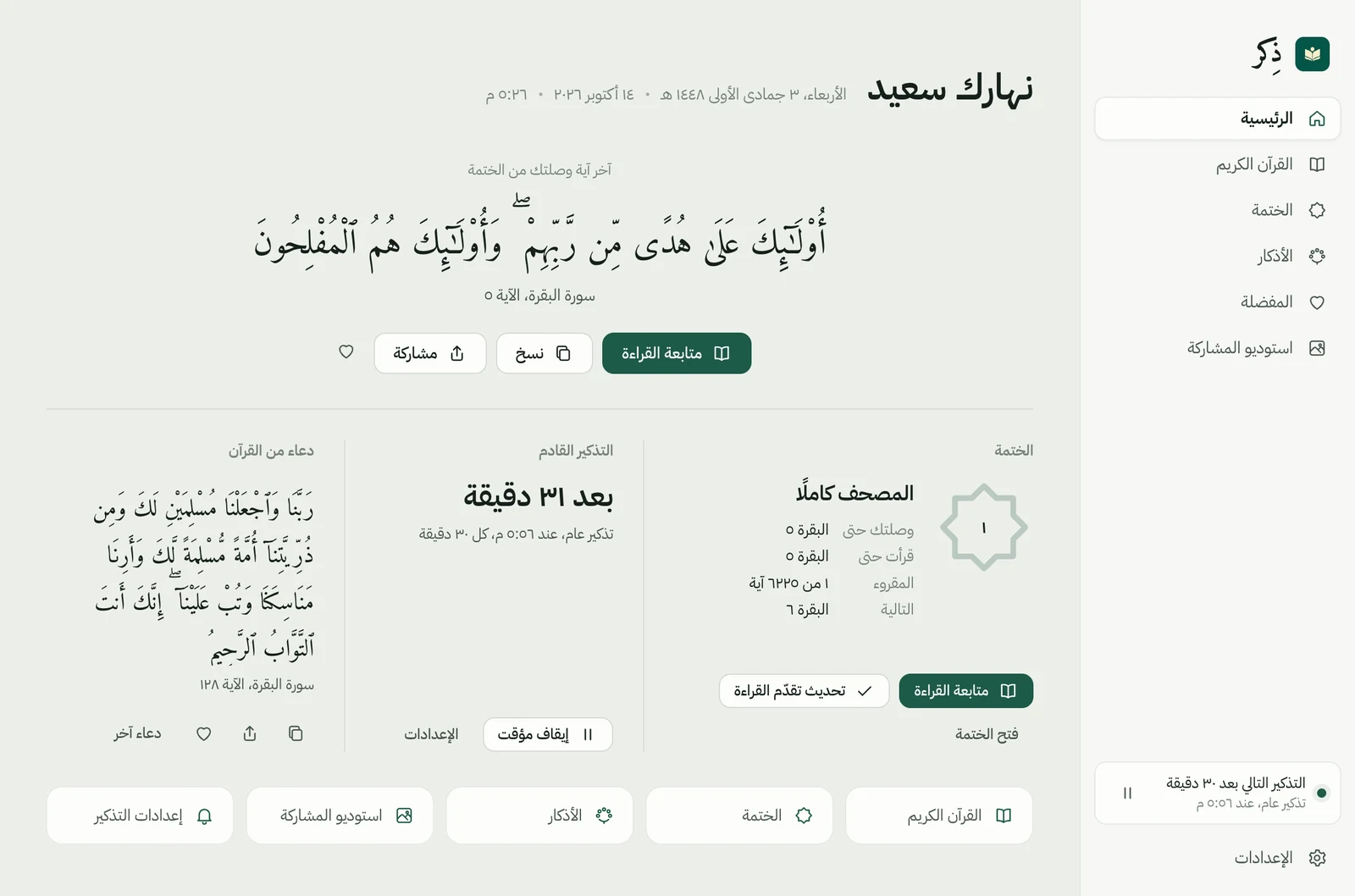
Know where you are. Continue from there.
Choose a starting point and the interval between verses. Reminders arrive in sequence; confirm your reading when it suits you. Receiving a verse is not counted as reading it.
- Separate delivered and confirmed reading progress.
- Pause, resume, and align reminders with what you have read.
- Your progress is saved locally on your device.
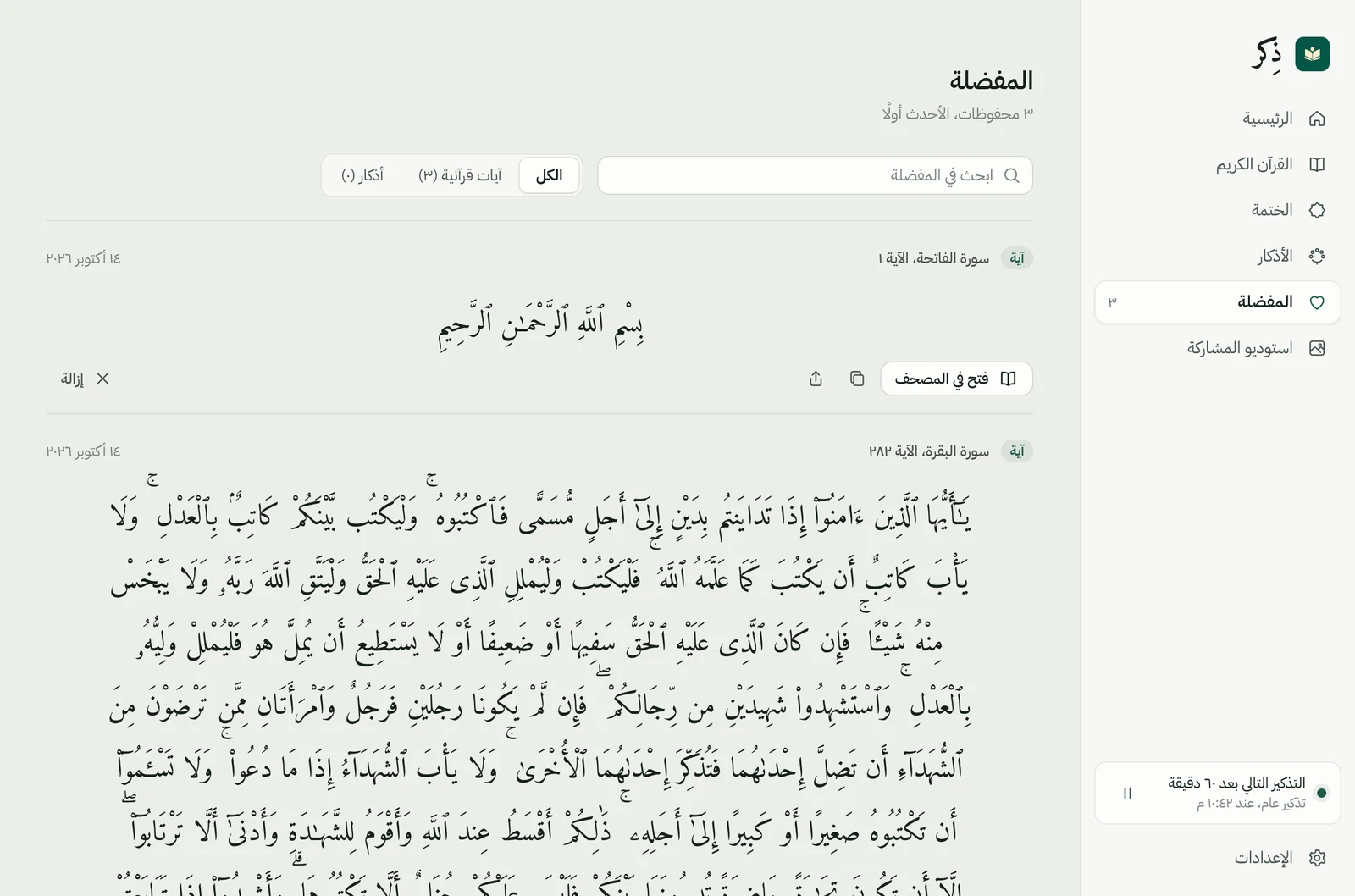
03Adhkar & favorites
Keep meaningful words close.
Browse Quranic supplications, the morning and evening adhkar and daily adhkar, search them and save items to revisit. Reading, copying and sharing are connected in one place.
- Favorite verses and adhkar, with search and filters.
- Copy text or open it in Share Studio.
- Sunnah adhkar from Hisn al-Muslim, shown with their verified references only; their scholarly review continues.
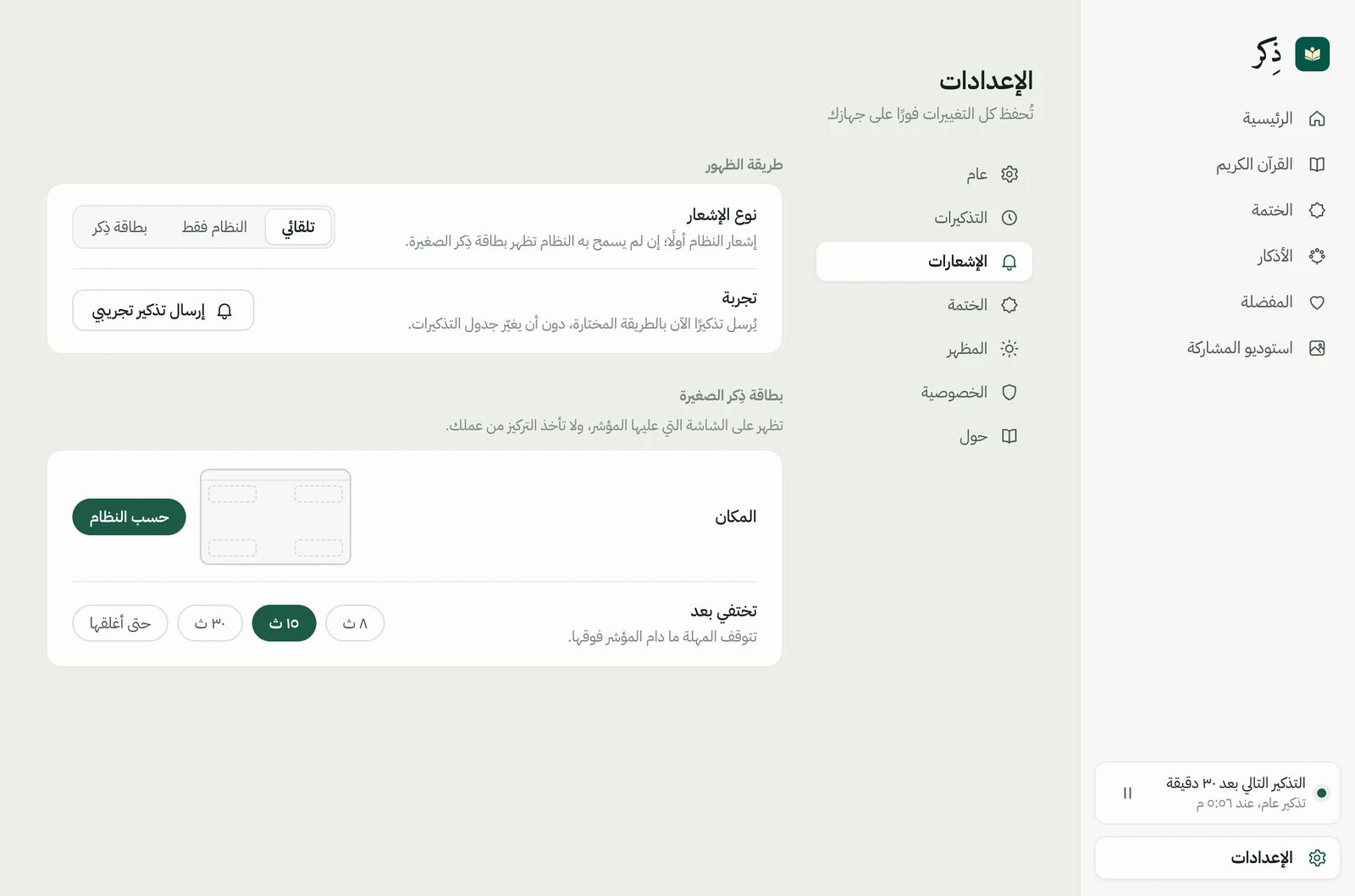
04Reminders on your terms
A gentle reminder. Your choice.
Set the interval and quiet hours that fit your day. Choose system notifications or a Thikr card, and adjust its position, duration and sound.
- Separate schedules for Khatmah and general reminders.
- Pause reminders when you need to focus.
- Thikr must be running; notifications depend on system permissions.
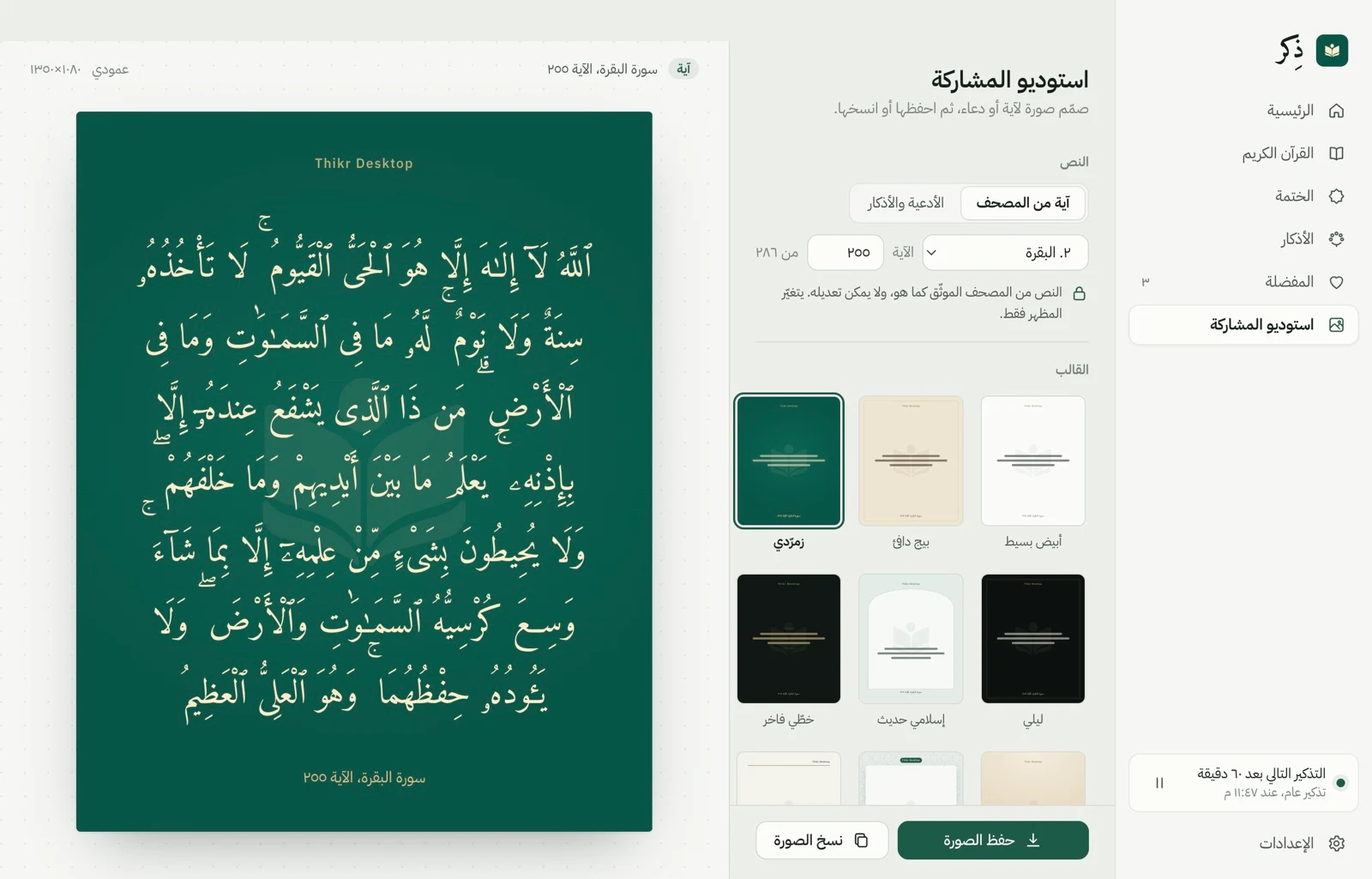
05Share Studio
Read something meaningful. Pass it on.
Choose text from the app, then adjust the template, size, palette, type and alignment. Preview the result before exporting an image to share.
- Square, portrait, landscape and story formats.
- Templates, palettes, text sizing and spacing controls.
- Export PNG images to a location you choose.
06Your desktop companion
There when you need it. Quiet when you don’t.
With background operation enabled, closing the window keeps reminders running. Return to Thikr from the menu bar.
- See the next reminder and pause from the app menu.
- Preferences for opening the window and starting with your computer.
- Choosing Quit closes Thikr and stops its reminders.
A place for remembrance, on your desktop
Make a little room for calm.
macOS · Free, no account